You built a beautiful website for your business. You spent time and money on it. But when you search for your business on Google, it’s nowhere to be found. Not on the first page, not even on the second.
It’s frustrating, right? You start to wonder, why is my business website not showing on Google?
Don’t worry, you are not alone. Almost every new business owner in the USA faces this problem. The good news is, in most cases, it’s not a big technical issue. It’s usually one of a few small SEO mistakes that are easy to fix.
In this guide, we will show you the 11 most common reasons why your website is not ranking on Google and how you can fix each one fast in 2026. Let’s get your business visible again.
How Google Ranks Websites in 2026? (60-Second Overview)
Before we fix the problem, let’s understand how Google works in 2026. Google ranks your website based on three simple things.
First is Indexing. Google needs to find and save your website. If Google doesn’t know you exist, it can’t show you.
Second is Relevance. Does your website content match what people are searching for? If someone searches for "plumber in Texas" and your site says "welcome to our company", Google won’t rank you.
Third is Trust. Does Google trust your website? It checks this through backlinks, reviews, and good content.
If any of these three is weak, your website will not show on Google. Now let’s look at the 11 reasons one by one.
1. Your Website is Not Indexed in Google
This is the most common reason. Think of Google like a library. If a new book arrives, the librarian needs to add it to the system before anyone can find it. This process is called indexing.
If your website is new or you just launched it, Google may not know it exists yet. If it’s not indexed, it will never show up in search results, no matter how good your website is.
How to check
Go to Google and type site:yourwebsite.com (replace with your domain). If nothing shows up, your site is not indexed.
Easy Fix
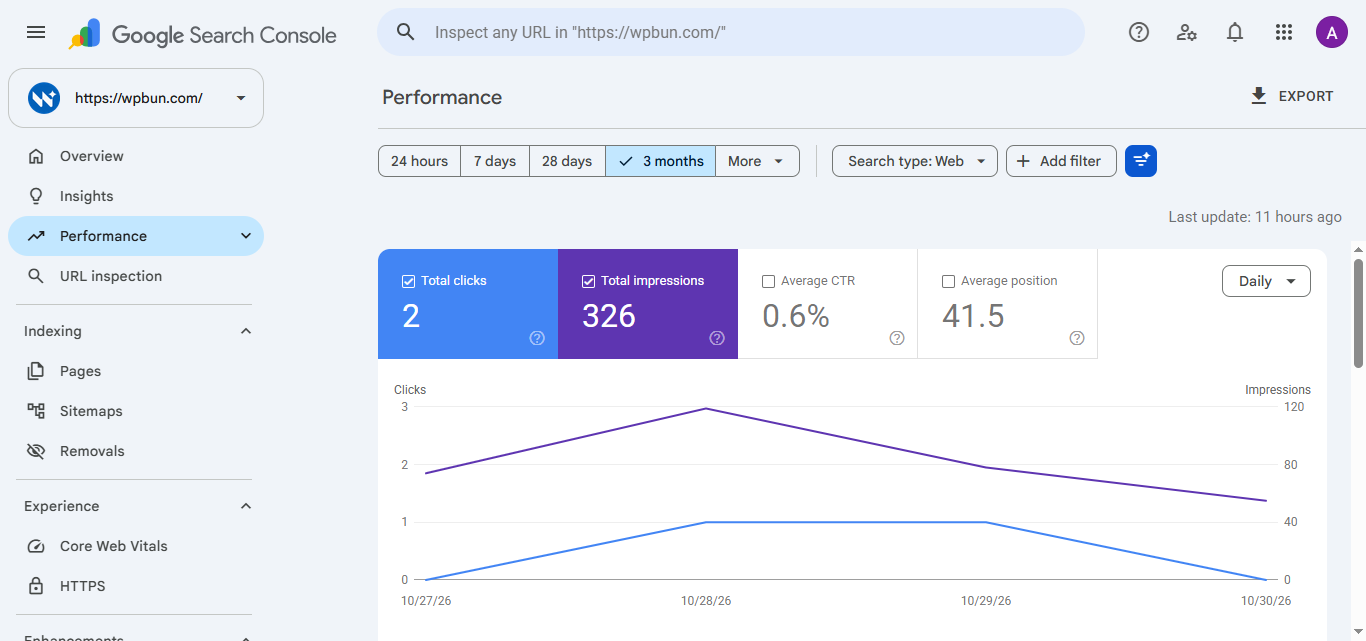
- Create a free account on Google Search Console.
- Add your website and verify it.
- Go to URL Inspection tool, paste your homepage URL, and click "Request Indexing".
- Also, submit your sitemap. You can find it at yourwebsite.com/sitemap.xml
Usually, Google will index your site within 2-3 days after this.
2. You Have No On-Page SEO
On-page SEO tells Google what your page is about. If you don’t have it, Google gets confused.
Many small business owners launch a website with titles like "Home" or "Welcome". Google has no idea what your business does from that. You need to tell Google clearly.
Common on-page mistakes
- No title tag or same title on every page
- No meta description
- No H1 heading on the page
- No keywords in your content
Easy Fix
- Every page should have a unique title. For example, instead of "Home", write "Affordable Plumbing Services in Dallas, TX | YourBrand".
- Add a clear H1 heading on each page. Only one H1 per page.
- Write a simple meta description (under 160 characters) that explains what the page is about.
- Use your main keywords naturally in the first 100 words of your content.
Good on-page SEO is the foundation. Without it, you cannot rank.
3. Your Website is Too Slow (Technical SEO Issue)
People in the USA don’t wait. If your website takes more than 3 seconds to load, they will close it and go to your competitor. Google knows this, so it pushes slow websites down in results.
A slow website is a big technical SEO problem, especially on mobile phones.
How to check
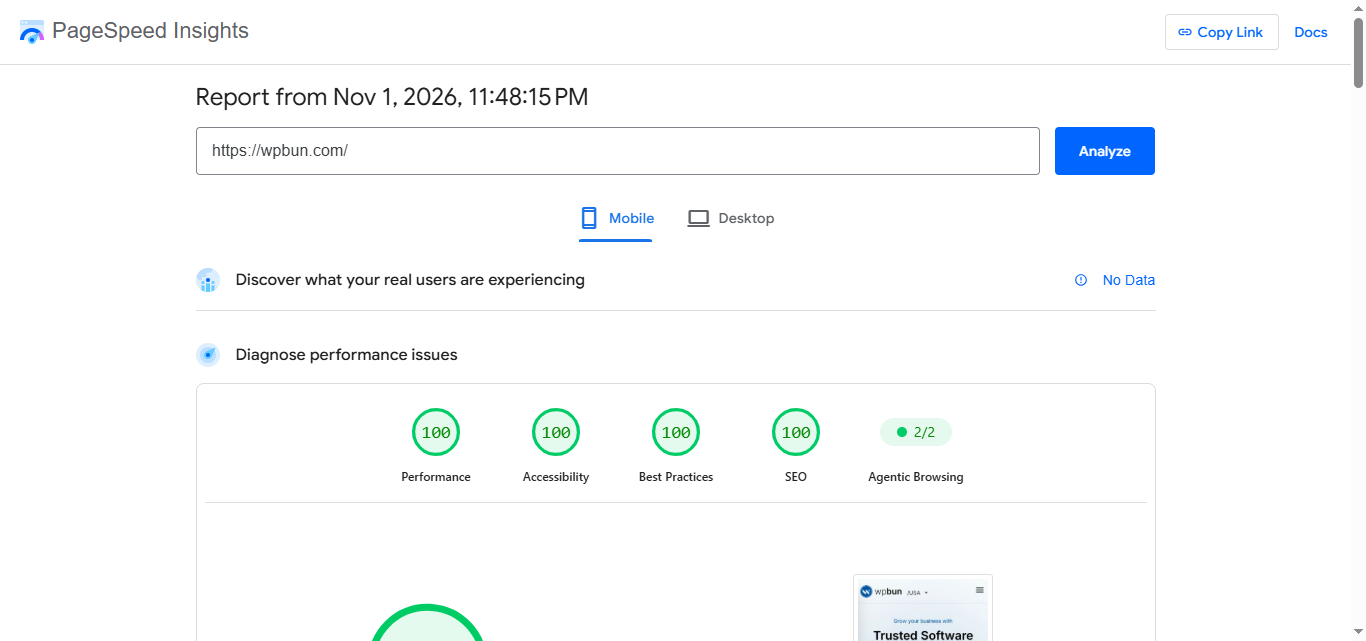
Go to pagespeed.web.dev and enter your website URL. It will give you a score out of 100.
Easy Fix
- Compress your images. Use tinypng.com before uploading any image.
- Don’t use too many heavy plugins or animations.
- Enable caching. If you use WordPress, plugins like WP Rocket or LiteSpeed Cache can help.
- Choose good hosting. Cheap hosting makes your site slow.
Aim for a speed score above 85 on mobile. A fast website not only ranks better but also brings more customers.
4. Your Website is Not Mobile-Friendly
More than 70% of searches in the USA happen on mobile phones. If your website looks broken or hard to use on a phone, Google will not show it.
Google now uses mobile-first indexing. That means it looks at your mobile website first, not your desktop version.
Common mobile problems
- Text is too small to read
- Buttons are too close together
- Images go out of the screen
- You need to zoom in to read
Easy Fix
- Use a responsive WordPress theme. Most modern themes are already mobile-friendly.
- Test your site on your own phone. Can you easily read and click everything?
- Go to Google’s Mobile-Friendly Test tool and check your URL.
If your site is not mobile-friendly, change your theme today. This one fix can improve your ranking overnight.
5. You Are Not Targeting the Right Keywords
You might be targeting keywords that no one searches for, or keywords that are too competitive for a new business.
For example, if you are a small bakery in Houston and you target "best bakery in the world", you will never rank. Big brands already own that keyword. Instead, you should target "best chocolate cake bakery in Houston, TX".
Easy Fix
- Think like your customer. What would they type on Google to find your business?
- Use free tools like Google Keyword Planner or Ubersuggest to find keywords.
- Focus on long-tail keywords. These are longer phrases with 3-4 words, like "affordable SEO services for plumbers". They have less competition and more buyers.
- Don’t target the same keyword on every page. One keyword, one page.
Right keywords bring the right customers. Wrong keywords bring no one.
6. You Have No Local SEO (Google Business Profile)
If you are a local business in the USA, this is the biggest reason you are not showing up. When people search "plumber near me" or "coffee shop in Dallas", Google shows results from Google Business Profile, not just websites.
If you don’t have a Business Profile, you are invisible in local searches.
Easy Fix
- Go to business.google.com and create your Google Business Profile. It’s free.
- Add your correct business name, address, and phone number (NAP). Make sure it matches exactly with what is on your website.
- Choose the right category for your business. For example, "Plumber" not just "Services".
- Add your business hours, photos, and services.
- Ask your happy customers to leave a Google review. Reviews help you rank higher.
Local SEO is the fastest way for a small business in the USA to appear on Google. Set up your profile today, or let our SEO services in USA team set up your Google Business Profile for you.
7. Your Content is Thin or Duplicate
Google wants to show helpful and original content. If your website has only a few lines of text or content copied from other websites, Google will ignore it.
Many small business websites have only a homepage with 100 words and a contact page. That is called thin content. Google has nothing to rank.
Easy Fix
- Don’t copy content from other websites. Google can easily catch duplicate content and will punish you.
- Write at least 600-800 words on your important pages like Homepage, About Us, and Service pages.
- Answer real customer questions in your content. For example, "How much does your service cost?" or "What areas do you serve in Texas?"
- Add a blog section and write helpful articles, like this one. Fresh content tells Google your site is active.
Good content is not about big words. It’s about being helpful and original.
8. You Have No Backlinks
Backlinks are like votes for your website. When another website links to your site, Google thinks, "This business must be trusted, let’s rank it higher."
If you have no backlinks, Google has no reason to trust you over your competitors who have many backlinks.
A brand new website like yours will have zero backlinks at the start. That’s normal.
Easy Fix
- List your business in local USA directories like Yelp, Yellow Pages, and Chamber of Commerce. These give you easy backlinks.
- Ask your partners, suppliers, or friends with websites to link to you.
- Write a guest post for a local blog and add your website link there.
- Create helpful content that people want to share and link to.
Don’t buy cheap backlinks from Fiverr for $5. They will hurt your site. Focus on getting a few good quality backlinks from real local websites.
9. Your Technical SEO is Weak (Sitemap, Robots.txt)
Technical SEO is the behind-the-scenes setup that helps Google crawl your website. If this is broken, Google can’t even read your site.
Two small files can block your entire website from Google without you knowing.
Problem 1: No Sitemap.xml
A sitemap is a list of all your pages for Google. If you don’t have it, Google may miss some of your pages.
Problem 2: Wrong Robots.txt
The robots.txt file tells Google which pages to crawl. If it has Disallow: / written in it, you are telling Google to stay away from your whole website. This sometimes happens by mistake during website development.
Easy Fix
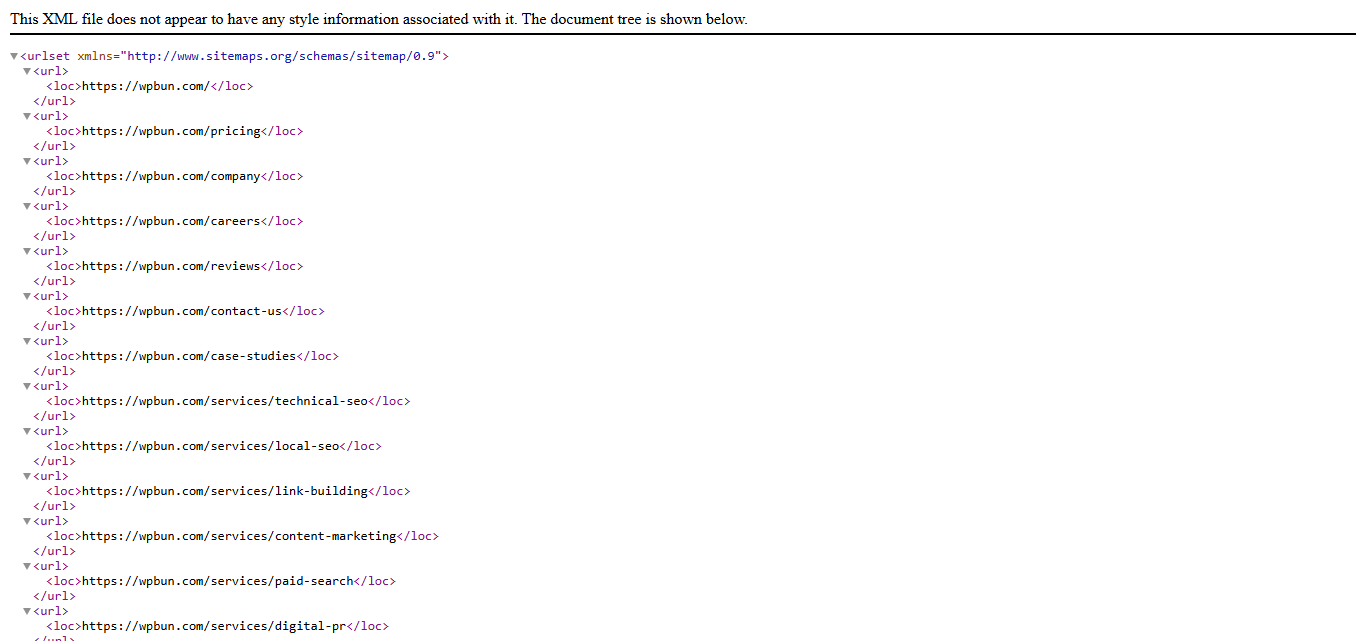
- Check your sitemap at yourwebsite.com/sitemap.xml. If you use WordPress with Yoast or RankMath plugin, it will create one automatically.
- Check your robots.txt at yourwebsite.com/robots.txt. Make sure it does NOT have Disallow: / for your whole site. It should have Allow: /.
- Submit your sitemap in Google Search Console under the Sitemaps section.
Fixing these two files can make your website appear on Google in just a few days.
10. High Competition in Your Niche
Sometimes there is nothing wrong with your website. The problem is your niche is too competitive.
For example, if you are trying to rank for "best lawyer in USA" or "cheap insurance", you are competing with huge companies that have been doing SEO for 10 years and have thousands of backlinks. A new website cannot beat them in one month.
Easy Fix
- Don’t try to rank for big, broad keywords at the start.
- Niche down. Instead of "SEO services USA", try "affordable SEO services for dentists in Florida". The competition is much lower.
- Focus on your city or state first. It’s easier to rank for "plumber in Austin, TX" than just "plumber".
- Be patient and keep improving your content. Over time, as you get more authority, you can target bigger keywords.
You don’t need to beat everyone on day one. You just need to beat the small businesses around you first.
11. You Just Launched - SEO Takes Time
This is the honest truth that many SEO agencies don’t tell you. SEO takes time.
If you just launched your website last week, you will not rank on the first page tomorrow. Google needs time to trust a new website. Even if you fix all 10 mistakes above, you still need to wait a little.
How much time does it normally take?
- For your website to get indexed: 2-7 days
- To show up for your own business name: 1-2 weeks
- To rank for low-competition keywords: 1-3 months
- To rank for competitive keywords: 4-6 months or more in the USA
Easy Fix
There is no shortcut, but you can speed it up:
- Publish new content every week. A blog post every 7-10 days shows Google your site is active.
- Keep your Google Business Profile active with new photos and posts.
- Share your website on your social media and with friends to get some initial traffic.
Don’t stop after one month. Most businesses quit right before they start ranking. Be consistent for 90 days and you will see results.
Free Tools to Check Why Your Website is Not Ranking
You don’t need to pay for expensive tools to find your SEO problems. These 5 free tools from Google and others are enough for any small business in the USA.
1. Google Search Console (Free)
The most important tool. It tells you if your site is indexed, if there are any crawl errors, and which keywords bring traffic. Every website must have it.
2. Google PageSpeed Insights (Free)
Paste your website URL and it will tell you how fast your site loads on mobile and desktop, and how to fix it.
3. Ahrefs Webmaster Tools (Free)
It scans your whole website and shows you technical SEO issues, broken links, and missing on-page SEO.
4. Screaming Frog SEO Spider (Free for 500 URLs)
This tool crawls your site just like Google does and finds duplicate content, missing titles, and broken pages.
5. Google Mobile-Friendly Test (Free)
Checks if your website works well on mobile phones.
Start with Google Search Console and PageSpeed Insights. They will show you 80% of your problems for free.
How to Fix All These Issues Fast?
So, why is your business website not showing on Google? It could be one of these 11 reasons, or a mix of a few.
Let’s quickly recap: Your site might not be indexed, your on-page SEO is missing, your site is slow or not mobile-friendly, you have no local SEO, or you just launched and need more time.
The good news is, all of these problems are fixable. You don’t need to be a developer. Start with the easy fixes first: submit your site to Google Search Console, set up your Google Business Profile, and fix your page titles.
Fix one thing today, one tomorrow, and within a few weeks, you will start seeing your website on Google.
At WPBUN, we help small businesses in the USA fix these exact issues every day. We provide complete technical + on-page SEO audits to find why your site is not ranking and fix it fast. Want a [free audit](/) for your website? Contact us today at wpbun.com.
Still Your Website Not Showing on Google?
Let our team at WPBUN do a free audit for you.
Get My Free SEO Audit